What to Do If Your Smart Lock Loses WiFi Connection
Smart locks promise something every homeowner loves: control.
Control over who enters your home. Control over access even when you are miles away. Control over security with nothing more than a tap on your phone.
Until one day… the connection disappears.
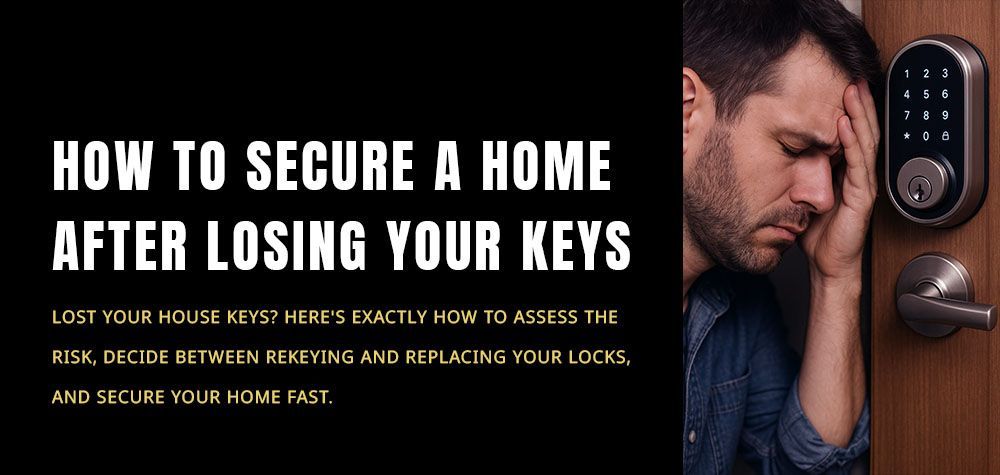
You open your app and the lock shows
offline.
Your phone refuses to communicate with the lock.
Remote access suddenly stops working.
For many homeowners this moment triggers immediate panic.
Did the lock break?
Is the door stuck?
Did the security system fail?
In most cases, a smart lock losing its WiFi connection does not mean the lock itself is broken. It usually means the communication between your lock and your network has been interrupted.
The good news is that most connection problems have simple explanations and straightforward solutions.
Let’s walk through what actually happens when a smart lock disconnects and what you should do to restore it.
Why Some Locks Make Clicking Sounds Before Failing
Why Smart Locks Depend on WiFi in the First Place
Traditional locks rely only on mechanical components. Smart locks, on the other hand, combine physical hardware with digital communication.
The WiFi connection allows the lock to interact with your smartphone, security systems, and sometimes voice assistants.
Through this connection you can lock or unlock the door remotely, receive notifications when someone enters, or create digital access codes for guests.
When WiFi disappears, the lock often continues working as a regular lock, but remote features stop functioning.
Understanding this distinction is important because many homeowners assume the entire lock stops working when the network drops. In reality, most smart locks continue to operate locally through a keypad, fingerprint reader, or physical key.
Check Your Home’s WiFi Network First
Before assuming the smart lock is malfunctioning, the first thing to check is your home internet connection.
If the router temporarily disconnects or experiences a signal drop, any smart device connected to it can go offline. Smart locks are particularly sensitive to unstable connections because they often sit near the edge of a home’s WiFi coverage.
Look around your home and see if other smart devices are also disconnected. Smart cameras, thermostats, and voice assistants may show similar issues.
If multiple devices are offline, the problem likely originates from the router rather than the lock itself.
Restarting the router often restores communication within a few minutes.
Make Sure the Lock Is Within WiFi Range
Another common cause of connection loss is signal distance.
Front doors are frequently located far from routers, especially in larger homes or houses with thick walls. Materials like concrete, brick, and metal can weaken wireless signals before they reach the lock.
If the signal becomes too weak, the lock may repeatedly disconnect or fail to reconnect after brief outages.
In these situations, improving WiFi coverage near the door can solve the issue. Some homeowners add mesh network nodes or WiFi extenders to strengthen the signal around entryways.
Once the lock receives a stable signal, the connection usually returns automatically.
Check the Lock’s Battery Level
Smart locks rely heavily on battery power. When battery levels drop too low, the lock may shut down certain features to conserve energy.
WiFi connectivity is often one of the first functions to be disabled when power becomes limited.
This means the lock might still open and close physically but lose its connection to the mobile app.
If your smart lock suddenly appears offline, checking the battery status should always be one of the first steps.
Replacing the batteries often restores the connection immediately.
Restart the Smart Lock System
Just like smartphones and computers, smart locks sometimes need a simple restart.
Software glitches can occur when the lock processes too many commands, experiences network interruptions, or receives incomplete updates from its companion app.
Restarting the lock refreshes its internal software and forces it to reconnect to the network.
Some locks have a dedicated reset button inside the battery compartment, while others require removing the batteries briefly to power cycle the device.
Once the system restarts, it usually attempts to reconnect to the WiFi network automatically.
Check the Mobile App and Firmware Updates
Smart lock manufacturers regularly release updates to improve security and stability.
If your lock’s firmware becomes outdated, it may struggle to maintain communication with newer versions of the mobile app or cloud services.
Sometimes the connection problem appears after an app update because the lock itself has not yet been updated.
Opening the lock’s companion app and checking for available firmware updates can often solve unexpected connectivity problems.
Updating the lock ensures it stays compatible with the latest network and security protocols.
Why Your Door Latch Isn’t Catching Properly
Look for Interference From Other Devices
Wireless signals share limited space within your home network.
If many devices operate on the same WiFi channel, interference can disrupt communication between the router and certain devices. Smart locks, which transmit small but frequent signals, may be especially affected.
Devices like wireless cameras, baby monitors, and older routers can sometimes crowd the network and weaken signal quality.
Adjusting router settings or changing WiFi channels may improve stability and reduce these interruptions.
When the Lock Needs Professional Attention
If the lock remains offline even after checking the network, batteries, and software, the problem may lie within the lock’s hardware.
Internal antennas, circuit boards, or communication modules can occasionally fail. This is less common but still possible, particularly with older smart lock models.
A professional locksmith experienced with modern lock systems can inspect the device, verify the wiring and components, and determine whether repair or replacement is necessary.
Technicians from Brothers Locksmith regularly assist homeowners who experience both mechanical and electronic lock issues. Their expertise ensures that the lock continues functioning securely whether the problem is digital or physical.
The Good News About Smart Lock Connectivity
One important thing to remember is that losing WiFi does not automatically compromise your security.
Most smart locks are designed to continue functioning locally even when they are offline. You can usually still unlock the door with a keypad, fingerprint reader, or physical key.
The inconvenience mainly affects remote access and mobile notifications rather than the lock’s ability to secure the door.
Once the connection is restored, those features typically return without any permanent damage.
Final Thoughts
A smart lock losing its WiFi connection can feel alarming at first, but the issue is often temporary and easy to resolve.
Network interruptions, weak signals, low batteries, and minor software glitches are among the most common causes. Addressing these factors usually restores the connection within minutes.
Understanding how smart locks communicate with your home network helps you respond calmly and troubleshoot effectively.
And if the problem goes beyond simple fixes, professional assistance can quickly identify the cause and restore your smart lock’s full functionality.
Because when it comes to home security, both technology and reliability should work hand in hand.
Call Us Any Time!