Why Smart Locks Drain Batteries Faster Than Advertised
Smart locks promise convenience, remote access, and enhanced home security — often with battery life claims ranging from six months to over a year. Yet many homeowners find themselves replacing batteries far sooner than expected. This gap between advertised and real-world battery performance can be frustrating, especially when it leads to unexpected lockouts or frequent maintenance. Understanding why smart locks drain batteries faster than advertised helps you manage expectations, identify hidden power drains, and extend the life of your device.
Can You Reuse Old Locks When Moving Houses?
The Difference Between Lab Testing and Real-World Usage
Battery life estimates provided by manufacturers are typically based on controlled testing environments. These tests assume moderate daily use, stable temperatures, and ideal connectivity conditions. In reality, household usage varies significantly, with factors such as frequent locking cycles, unstable Wi-Fi signals, and environmental exposure affecting power consumption.
Because real-world conditions are rarely ideal, battery performance often falls short of marketing claims. Heavy usage, poor signal strength, or extreme temperatures can dramatically shorten battery life without indicating a defect in the lock itself.
Frequent Locking and Unlocking Cycles Increase Power Demand
Every time a smart lock engages its motor to lock or unlock the door, it consumes a noticeable amount of power. Homes with multiple occupants, frequent visitors, or delivery activity may trigger far more locking cycles than manufacturers anticipate in their battery estimates.
Automatic features like auto-lock timers or repeated manual overrides can also add to power consumption. Over time, these extra cycles accumulate, leading to faster battery depletion even when the lock appears to be functioning normally.
Connectivity Features That Constantly Consume Energy
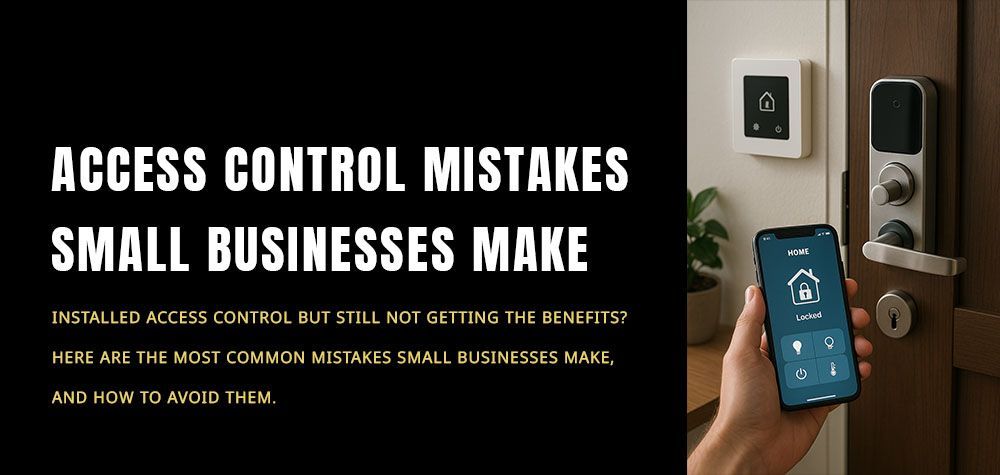
Smart locks rely on wireless communication to enable remote access and monitoring. Bluetooth, Wi-Fi, and Zigbee connectivity each require power to maintain communication with smartphones, hubs, or home automation systems. Locks that remain continuously connected — especially through Wi-Fi — often consume more energy than those relying on low-power communication protocols.
In areas with weak or fluctuating signals, the lock may repeatedly attempt to reconnect, further increasing battery drain. This background activity is one of the most common but overlooked causes of shortened battery life.
Temperature Extremes and Environmental Exposure
Batteries are highly sensitive to temperature changes, and exterior doors expose smart locks to varying weather conditions. Cold temperatures slow chemical reactions inside batteries, reducing their effective capacity, while heat can accelerate energy loss and degrade battery health over time.
Homes in regions with seasonal extremes may experience noticeable battery performance fluctuations throughout the year. Even well-designed smart locks can drain faster when exposed to harsh environmental conditions.
Motor Strain Caused by Door Misalignment
Smart locks rely on small internal motors to extend and retract deadbolts. If a door is misaligned, swollen, or difficult to close, the motor must work harder to engage the bolt. This increased effort draws more power and can significantly shorten battery life.
Door misalignment often goes unnoticed because the lock still functions, albeit with slight resistance or noise. Over time, this hidden strain places both mechanical and electrical stress on the lock, accelerating battery depletion.
Notification Overload and App Activity
Many smart locks offer customizable notifications for locking events, access attempts, and connectivity changes. While these alerts enhance awareness, frequent notifications require the lock to communicate regularly with connected devices and cloud services.
High notification frequency, multiple user profiles, or continuous activity logging can increase background power consumption. Although each interaction uses minimal energy, the cumulative effect may noticeably reduce battery longevity.
Firmware Updates and Background Processes
Smart locks periodically perform firmware updates to improve security and functionality. These updates may involve increased communication, data processing, and motor testing, all of which consume battery power. In addition, background diagnostic processes designed to monitor performance can contribute to gradual energy drain.
While these features enhance reliability and safety, they also highlight why battery life varies depending on software activity and update frequency.
Why Locks Fail After Heavy Rain or Flooding
Battery Quality and Type Make a Significant Difference
Not all batteries perform equally in smart lock applications. Lower-quality or incompatible batteries may struggle to deliver consistent power, leading to premature depletion. Rechargeable batteries, while cost-effective, sometimes provide lower voltage than alkaline alternatives, affecting performance.
Using manufacturer-recommended battery types ensures optimal compatibility and reduces the risk of uneven power delivery. Investing in high-quality batteries can often extend operating time and improve overall reliability.
Practical Ways to Extend Smart Lock Battery Life
Although battery drain is inevitable, homeowners can take steps to maximize battery efficiency and reduce unnecessary power consumption.
Helpful strategies include:
- Ensuring proper door alignment to reduce motor strain
- Using high-quality alkaline or lithium batteries as recommended
- Adjusting notification settings to limit unnecessary alerts
- Improving Wi-Fi signal strength or using low-power connectivity modes
- Regularly checking firmware updates and device settings
- Reducing excessive auto-lock cycles where possible
These adjustments can significantly improve battery longevity without sacrificing convenience or security.
When Frequent Battery Drain Signals a Larger Issue
Occasional battery replacement is normal, but unusually rapid drain may indicate underlying problems. Persistent issues could stem from mechanical resistance, faulty components, or connectivity errors that force the lock to consume extra power. Ignoring these signs may lead to sudden lock failure or inconvenience at critical moments.
A professional inspection can identify whether the issue lies in installation, device configuration, or hardware malfunction. Early diagnosis prevents repeated battery replacements and ensures your smart lock performs as intended.
Final Thoughts: Smart Convenience Comes With Power Trade-Offs
Smart locks deliver impressive convenience and control, but their battery performance depends heavily on real-world conditions. Factors such as usage frequency, connectivity demands, environmental exposure, and mechanical alignment all influence energy consumption. By understanding these variables, homeowners can set realistic expectations, adopt maintenance habits, and avoid frustration caused by unexpected battery drain. Smart lock reliability isn’t just about technology — it’s about how well the device integrates with your home’s environment and daily routines.
Need Help Optimizing or Replacing a Power-Hungry Smart Lock?
If your smart lock requires frequent battery changes or struggles with reliability, expert assistance can help uncover the root cause. Brothers Locksmith provides professional smart lock installation, troubleshooting, and upgrades designed to improve performance and efficiency. Our experienced technicians ensure your lock operates smoothly, minimizing battery drain while maintaining the convenience you expect.
Contact Brothers Locksmith today to schedule a smart lock inspection and enjoy reliable security without constant battery worries.
Call Us Any Time!