What Happens When a Smart Lock Loses Power?
It's a common fear. You install a smart lock, and then a thought hits you. What if the power goes out? What if the battery dies? Will you be stuck outside?
The short answer is no. Smart locks are built for this. But what they do when power drops depends on the type of lock, the battery, and how low it gets. Knowing this ahead of time keeps a small problem from turning into a lockout.
This guide walks through the stages of a lock losing power, from the first warning to a fully dead lock. You'll also learn how to get inside and how to prevent it. If you want expert help choosing or installing a lock, see our residential locksmith services.
First, Which Type of Power Does Your Lock Use?
Most smart locks fall into one of two groups.
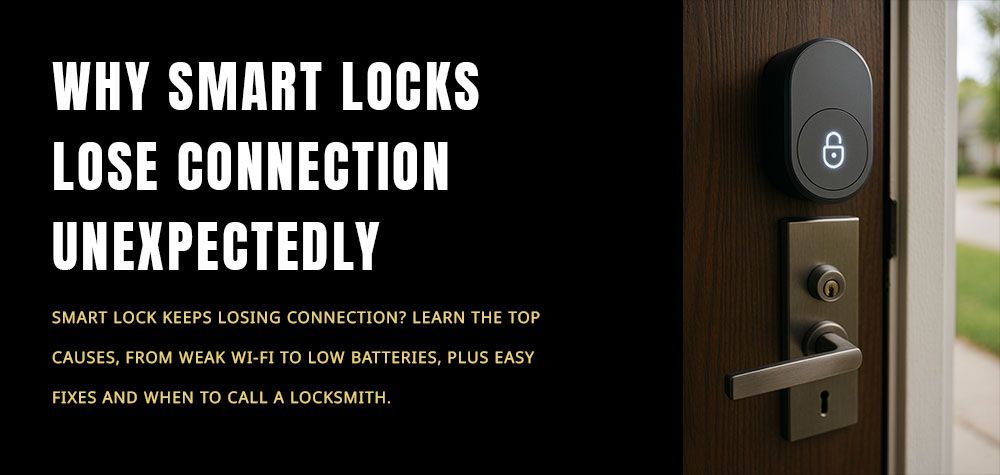
Battery-powered locks. These run on AA or similar batteries inside the lock. They don't care about house power at all. Most home smart deadbolts work this way.
Hardwired locks and access systems. These connect to your building's power. They're common in offices and shops. Many have a backup battery.
So a house power outage often does nothing to a battery-powered smart lock. The lock itself running out of power is the bigger concern.
The Slow Fade: Stages of a Dying Battery
Stage 1: The Warning
The lock tells you the battery is low. You may get a phone alert, a blinking light, or a beep. At this point, the lock still works fine. You've got time, often weeks.
Stage 2: The Struggle
The motor gets slow or loud. The keypad lights dim. The lock may fail to lock or unlock on the first try. Cold weather makes this worse, because batteries lose strength in the cold. Our article on how weather affects your locks covers this in more detail.
Stage 3: The Shutdown
The lock stops responding. The keypad is dark, and the app can't reach it. The bolt usually stays in whatever position it was in. If the door was locked, it stays locked. If it was unlocked, it stays unlocked.
Locked or Unlocked: What Does the Door Do?
For most home smart locks, the bolt just stays put. The lock doesn't pop open or slam shut when it dies.
For commercial doors, it depends on the hardware:
- Fail-secure devices stay locked when power is lost.
- Fail-safe devices unlock when power is lost.
Which one a business uses depends on safety rules and what it protects. A locksmith can tell you which type you have.
How to Get In When the Lock Is Dead
You have several options:
- Use the physical key. Most smart locks have a keyhole.
- Try the emergency power terminals. Many locks have two contacts on the outside. Touch a 9-volt battery to them. This gives the lock enough power to open once.
- Use a backup keypad code or fob, if your lock stores codes in a way that works offline.
- Use another entrance. A back door or garage door may work.
- Call a locksmith. If nothing works, we can open the door without damage.
How to Keep Your Lock From Dying
- Replace batteries as soon as the low alert appears.
- Use fresh, high-quality batteries.
- Don't mix old and new batteries.
- Set a reminder to check the battery every few months.
- Keep a spare set of batteries at home.
- Carry a physical key or know where to find one.
For a wider look at outages and Wi-Fi, read our guide on how smart locks handle power outages and connectivity issues.
How a Locksmith Can Help
A locksmith can open a dead smart lock without damaging the door. We can also check why batteries are draining fast, repair a faulty lock, or replace it. If you're buying a lock, we can help you pick one with good backup options.
Smart Lock Power Loss FAQs
Q: What happens to a smart lock when the power goes out?
A: Most battery-powered smart locks keep working because they don't use house power.
Q: What happens when a smart lock battery dies?
A: The lock stops responding, and the bolt stays in its last position.
Q: How can I open a smart lock with a dead battery?
A: Use a physical key, or touch a 9-volt battery to the emergency terminals.
Q: How long do smart lock batteries last?
A: It varies by lock and use, but usually several months. Replace them when you get the low alert.
Q: Can I get locked out if my smart lock loses power?
A: It's possible, but a backup key or emergency terminals usually prevent it.
Final Thoughts on Smart Lock Power Loss
A smart lock that loses power isn't the end of the world. Most give you plenty of warning, and nearly all have a backup way in. The key is to act on the early signs. A slow motor, a dim keypad, or a low battery alert means it's time to change batteries.
It also helps to have a backup plan. Know where your physical key is, learn whether your lock has emergency terminals, and keep spare batteries on hand. A few small habits can save you from a long wait outside the door.
If your lock is acting up or you're locked out, we're here 24/7. Call (888) 947-5585 or contact us online.
Call Us Any Time!