How to Create a Smart Lock Backup Plan
Smart locks are great. Until the day one fails, and you're standing outside with a dead phone and no key.
That's why every smart lock owner needs a backup plan. A smart lock is an electronic device. Batteries die, apps crash, and phones get lost. A good plan means any of those problems is just a small bump, not a lockout.
This guide shows you how to build a backup plan in layers. Each layer covers a different kind of failure. You'll also learn what to do for rentals, guests, and family members. If you need help picking or installing a lock with strong backup options, see our residential locksmith services.
Why Do You Need a Backup Plan?
Think about what could go wrong:
- The lock battery dies
- Your phone is lost, stolen, or out of charge
- The app or account won't let you in
- The keypad stops working
- The lock jams or breaks
If your only way in depends on one thing, you're at risk. Backups spread the risk across several.
Build Your Plan in Layers
Layer 1: A Physical Key
Keep at least one working key. But where you keep it matters. Hiding a key under a mat or flowerpot is a gift to burglars. Learn why in our guide on why burglars prefer homes with visible spare keys.
Better options:
- Give a spare to a trusted neighbor or friend
- Keep one in a secure lockbox with a code
- Keep one in your car or wallet if it's safe to do so
Layer 2: A Keypad Code That Doesn't Need Your Phone
Set a PIN code you can enter right at the door. Choose one that's easy for you to remember but hard to guess. Avoid birthdays and "1234."
Layer 3: Emergency Power
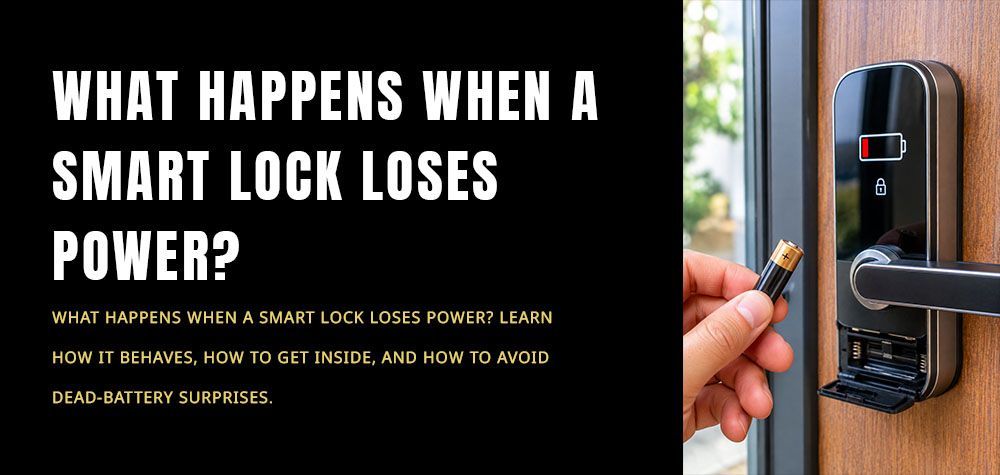
Check if your lock has external power terminals. If it does, keep a 9-volt battery somewhere handy, like in your car or a nearby drawer. It can give the lock one last burst of power to open.
Layer 4: A Battery Schedule
Most lockouts are battery problems. Prevent them.
- Replace batteries when the low alert appears
- Set a reminder every few months
- Keep spare batteries at home
- Use the type your lock maker recommends
Layer 5: Account Recovery
Your lock's app and account are part of your plan.
- Use a strong password and turn on two-step login
- Save recovery codes somewhere safe
- Make sure your email and phone number are current
- Add a second trusted user, such as a family member
For more on digital safety, see our article on why cybersecurity matters for physical security.
Layer 6: A Second Way Into the House
Know which other doors work. A back door, a garage door, or a patio door with a different lock can give you another entry. Don't leave them unsecured, but make sure you have access.
Step-by-Step: Set Up Your Plan Today
- Count your backups. Do you have a key, a code, and a spare battery?
- Give a spare key to someone you trust.
- Set up a PIN code that works offline.
- Find your lock's emergency power terminals.
- Put a reminder on your phone for battery checks.
- Write down how to reach a 24-hour locksmith.
- Test each backup. Try the key, the code, and the 9-volt battery.
Plans for Different Situations
Families. Give each adult their own code. Teach older kids how to use the keypad.
Rentals and guests. Use temporary codes that expire. Keep a physical key with a property manager or a lockbox.
Landlords. Keep a master key or code. Rekey when tenants move out.
Older adults. Choose a simple keypad. Make sure a family member or caregiver has access in case of emergency.
Test Your Plan Every Few Months
A plan only works if you've tried it. Every season, check:
- Does the spare key still work?
- Does the backup code still open the door?
- Are the batteries fresh?
- Is the app up to date?
Learn more about how often to review your home security.
How a Locksmith Can Help
A locksmith can set up a lock with multiple ways in, make spare keys, rekey the cylinder, and teach you how the backup features work. If you're ever locked out, our 24 hour locksmith team is ready any time.
Smart Lock Backup Plan FAQs
Q: What is a smart lock backup plan?
A: It's a set of ways to get in if your lock's battery, app, or phone fails.
Q: Should I keep a physical key with my smart lock?
A: Yes. A key is the simplest backup. Just don't hide it in an obvious place.
Q: What if my smart lock battery dies and I have no key?
A: Try the emergency terminals with a 9-volt battery, or call a locksmith.
Q: How often should I replace smart lock batteries?
A: Every few months, or as soon as the low battery alert appears.
Q: Is it safe to give a neighbor a spare key?
A: It can be, if you trust them. Choose someone reliable and nearby.
Final Thoughts on a Smart Lock Backup Plan
A smart lock makes life easier, but it works best when it isn't your only way in. A good backup plan has layers. A physical key stored safely, a keypad code, a battery schedule, and a recovery option for your account all protect you in different ways.
The best part is that setting this up takes less than an hour. Then you can enjoy the convenience of your lock without worrying about a lockout. Test your plan every few months to make sure it still works.
If you want help setting up a lock with reliable backups, or you're locked out now, we're available 24/7. Call (888) 947-5585 or contact us online.
Call Us Any Time!