The Hidden Dangers of “Smart Lock Fatigue” (When You Have Too Many Lock Systems)

November 27, 2025

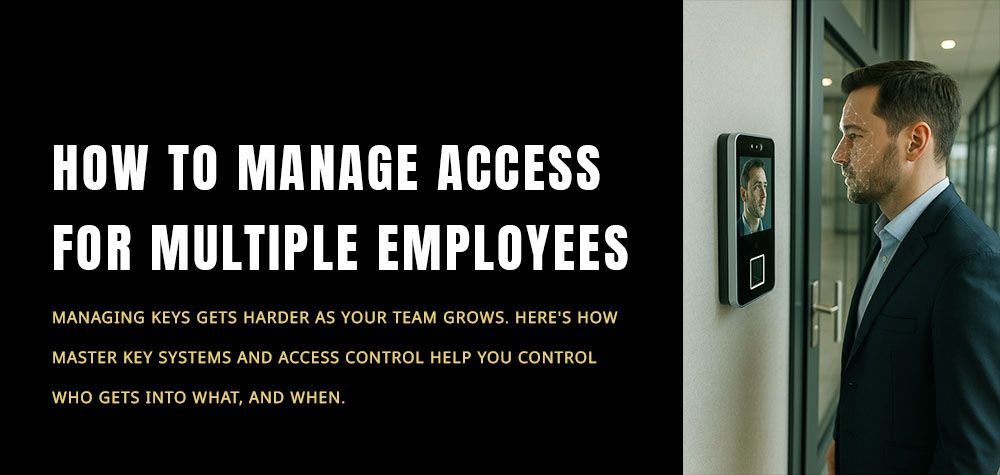
Smart locks were supposed to simplify our lives—but somewhere between juggling apps, remembering temporary codes, updating firmware, and managing different lock brands, things got… complicated.
If you’ve ever stood outside your door scrolling through your phone thinking, “Wait… which app opens this lock?” — you’ve already tasted smart lock fatigue.

And it’s more common than people admit.

Smart lock fatigue happens when a home, apartment building, or workplace stacks multiple digital lock systems—each with its own app, code format, access rules, or quirks—until the security setup becomes more stressful than secure. It’s modern tech exhaustion… with actual safety risks.

Let’s unpack why this happens and how to fix it before it turns into a security disaster.


How to choose locks for modular or prefabricated homes


When Convenience Turns Into Confusion

Smart locks feel intuitive when you have one. But introduce a second brand in the hallway, a keypad system for the side entrance, a biometric lock for the office, and an app-based lock for the storage room—and suddenly you’re managing an ecosystem.

Each lock demands attention:
software updates, battery checks, app notifications, code resets, time schedules, access logs.

When you multiply that by 8–12 locks, your brain quietly hits burnout.

And burnout leads to shortcuts—dangerous ones.


How Smart Lock Fatigue Actually Becomes a Security Risk

1. People start avoiding the “secure” doors

When locks feel complicated, everyone gravitates to the easiest entrance—even if it’s the least secure.
Residents start propping doors open.
Employees tailgate through restricted areas.
Delivery staff learn your weakest point.

A complicated lock ecosystem invites human workarounds.

2. Too many apps = slower responses in emergencies

Imagine needing fast access during a fire alarm, or when your child is locked inside a room.
Now imagine scrolling through five apps with identical blue icons.

Seconds matter. App overload delays action.

3. Codes and credentials rarely get updated

The more systems you have, the harder it becomes to:

remove old codes

revoke access for ex-residents or ex-employees

update guest codes

rotate temporary access

So outdated access stays active long after it should have expired.

4. Battery neglect becomes inevitable

All digital locks rely on batteries.
But if you’re managing 10+ locks, checking all of them feels like a part-time job.

People stop checking.
Batteries die quietly.
And suddenly someone gets locked out—or worse, a door fails to lock.

5. System incompatibility creates blind spots

Every brand has its own dashboard. None of them speak to each other.
So you end up unable to see:

who unlocked which door

at what time

through which system

Information becomes scattered. That fragmentation creates gaps burglars exploit.


Why Oversmarting Your Home Is a Real Thing

We’re living in a time where people want app-controlled everything—lights, thermostats, fans, blinds, and now locks. But adding tech without strategy creates mental clutter disguised as “innovation.”

Smart lock fatigue hits hardest in:

  • multi-unit apartments
  • co-working spaces
  • large homes with many external doors
  • Airbnbs with guest turnover
  • offices using mixed lock brands

In every case, the person managing access eventually loses track.

Not because they’re careless—but because too many smart systems become too much.


How to Tell If You Already Have Smart Lock Fatigue

You might be experiencing it if:

  • you forget which lock uses which app
  • someone asks for access and you dread figuring it out
  • you delay firmware updates
  • you rely on physical keys again “just in case”
  • you stop checking access logs entirely
  • your guests complain about “complicated entry instructions”
  • you keep resetting the same lock because you forgot the credentials

If two or more of these are true, your lock system needs restructuring—not just maintenance.


Streamlining: The Cure for Digital Overwhelm

Unify Your System Under One Ecosystem

The easiest fix is choosing one smart lock ecosystem and migrating gradually:

  • All locks under the same app
  • One dashboard
  • One battery type
  • One centralized access log
  • It reduces mental load instantly.

Create One Master Access Hub

For homes or businesses with many locks, a locksmith can:

  • Integrate all locks into one access interface
  • set unified time schedules
  • connect them to the same Wi-Fi/Bluetooth mesh
  • automate battery-status alerts
  • create master and sub-access levels

You get control without juggling apps.


Avoid Overloading Every Door With Tech

Just because you can install a smart lock everywhere doesn’t mean you should.

High-traffic doors need smart locks.
Low-use or secondary doors often don’t.

A good balance strikes a balance between reduced maintenance and tight security.


Add a Physical Backup—But With Rules

Smart lock fatigue often leads people back to physical keys.
That’s fine—but make sure the backup doesn’t become the main system.

Keep physical keys locked, inventoried, and only used for emergencies.

Let a Locksmith Audit the Setup

Most people don’t realize how overcomplicated their system has become until a locksmith points it out.

A professional can identify:

  • redundant smart locks
  • incompatible brands causing friction
  • risky entry points
  • outdated digital access
  • better placement for locks
  • opportunities to merge systems

Sometimes you don’t need more security—you need smarter, simpler security.


Why Oversimplification Is Safer Than Overautomation

Smart security should feel light. Effortless. Invisible.
The moment it starts feeling like admin work, you lose the core purpose: safety.

When systems overwhelm users, safety weakens.

A well-designed lock ecosystem is not the one with the most gadgets—it’s the one you can actually manage on a tired weekday, at 2 AM, with low battery, in the rain, holding groceries.

If it works in that moment, it’s the right system.


How to set up temporary locks after a break-in


Final Thoughts

Smart lock fatigue is real. And it’s a growing problem as devices evolve faster than the humans using them. Too many lock systems create confusion, delays, blind spots, and vulnerabilities—exactly the opposite of what “smart security” is supposed to deliver.

The goal isn’t to have the most advanced system.
The goal is to have a system that keeps you safe without exhausting you.

With the right consolidation, smart planning, and occasional guidance from a locksmith, you can transform a chaotic network of locks into a streamlined, secure, stress-free setup.

When your security feels simple, that’s when it’s truly smart.

Call Us Any Time!
Call Now
April 8, 2026
Discover why lock problems often appear after home renovations, how structural changes affect alignment, and what to fix before replacing your locks.
Why Some Keys Work Better When Inserted Upside Down
By Ghulam Mustafa April 7, 2026
Learn how to fix door gaps that weaken lock security, prevent forced entry, and improve door alignment without replacing your entire lock system.
By Ghulam Mustafa April 6, 2026
Smart locks promise convenience. Keyless entry. Remote access. Control from your phone. But when it comes to security, one question still confuses many homeowners: Can you rekey a smart lock the same way you would a traditional one? Or are you stuck replacing the entire system? The answer isn’t as simple as yes or no. Because not all locks—smart or traditional—work the same way. And understanding that difference can save you time, money, and unnecessary upgrades. Start With What Rekeying Actually Means Rekeying isn’t about changing the outside of a lock. It’s about altering what happens inside. In a traditional lock, rekeying changes the internal pins so old keys no longer work. The hardware stays the same, but access is completely reset. It’s one of the most efficient ways to regain control—especially after moving into a new home or losing a key. But this process depends on one thing: A physical key mechanism. And that’s where smart locks start to differ. Why Traditional Locks Are Easy to Rekey Standard deadbolts and cylinder locks are built for it. Their internal pin systems are designed to be adjusted, reconfigured, and reset without replacing the entire lock. A locksmith can quickly change the key combination while keeping the same exterior hardware intact. This is why rekeying has always been the go-to solution for restoring security without overspending. It’s simple. Direct. Reliable. And in most cases, it’s all you need. What Makes Smart Locks Different Smart locks aren’t just locks. They’re systems. Some rely entirely on digital access—keypads, apps, or biometrics. Others combine smart features with a traditional key cylinder. That distinction matters. Because you can’t “rekey” something that doesn’t use a physical key in the first place. Instead of pins and tumblers, fully digital locks rely on codes, permissions, and software-based control. So the way you reset access changes completely. Can Smart Locks Be Rekeyed? It Depends on the Type If your smart lock includes a physical key override, then yes—part of it can be rekeyed. The mechanical cylinder inside can be adjusted just like a traditional lock. A locksmith can change the key access without affecting the smart features. But if your smart lock is fully keyless, there’s nothing to rekey. In those cases, security is managed digitally. You simply delete old codes, reset access permissions, or perform a factory reset. No hardware changes required. Just a different kind of control. Why Digital Resetting Replaces Rekeying in Smart Systems With traditional locks, control comes from keys. With smart locks, control comes from access management. Instead of worrying about who has a physical copy, you manage: Who has a code When they can enter How long their access lasts If someone no longer needs entry, you don’t rekey. You remove them. That shift is what makes smart locks powerful—but also why people misunderstand how to secure them properly. When Rekeying Still Matters in a Smart Lock Setup Even if you use a smart lock, the physical key backup shouldn’t be ignored. That override exists for a reason. Power failures. Technical glitches. Dead batteries. In those moments, the mechanical key becomes your fallback. If that key has been copied, lost, or shared in the past, rekeying the cylinder is still essential. Because digital security means nothing if the physical backup is compromised. Should You Rekey or Replace a Smart Lock? Not every situation requires a full replacement. If your concern is access control, resetting codes or permissions is usually enough. If your concern is physical key security, rekeying the cylinder solves the problem. Replacement only becomes necessary when the lock is damaged, outdated, or no longer reliable. The mistake most people make is jumping straight to replacement—when a simple reset or rekey would have done the job. The Hidden Risk: Forgetting Old Access Points Whether it’s a traditional lock or a smart one, the real issue is often the same: Too many people have access. Old tenants. Previous owners. Contractors. Guests. With traditional locks, that risk lives in duplicated keys. With smart locks, it lives in forgotten codes and active permissions. If you don’t actively reset and review access, your lock—no matter how advanced—stops being secure. When to Call a Professional If you’re unsure whether your smart lock includes a rekeyable cylinder, or if it’s not functioning properly, it’s worth getting expert input. A locksmith can assess your setup, identify whether rekeying is possible, and ensure both your digital and physical security layers are aligned. Professionals like Brothers Locksmith often handle hybrid systems, where both smart features and traditional mechanisms need to work together seamlessly. Because real security isn’t about choosing one or the other. It’s about making sure every layer does its job. Final Thoughts Rekeying isn’t outdated. It’s just evolving. Traditional locks rely on it. Smart locks replace it with digital control. And hybrid systems use both. The key is understanding what kind of lock you actually have—and how it manages access. Because security isn’t about the label on your lock. It’s about who can still get in. And whether you’ve taken the time to change that.
Why Some Keys Work Better When Inserted Upside Down
By Ghulam Mustafa April 5, 2026
Discover why keys sometimes work better upside down, what it reveals about lock wear or misalignment, and how to fix the issue before it leads to lock failure.
Can You Rekey Smart Locks or Only Traditional Ones?
By Ghulam Mustafa April 3, 2026
Learn whether smart locks can be rekeyed or only traditional ones, and how to reset access, improve security, and avoid unnecessary lock replacement.
Why Your Door Lock Feels Loose After Door Repairs
By Ghulam Mustafa March 31, 2026
Why your door lock feels loose after repairs and how to fix it. Learn the real causes and smart ways to restore security without replacing the lock.
How to Secure Older Homes Without Replacing Every Lock
By Ghulam Mustafa March 30, 2026
How to secure an older home without replacing every lock? Discover smart, cost-effective ways to upgrade home security while preserving existing hardware.
Why Keyless Entry Pads Stop Responding
By Ghulam Mustafa March 30, 2026
Why do keyless entry pads stop responding? Learn the common causes, quick fixes, and when to call a locksmith to restore your smart lock system.
More Posts